
How to restore access to your router's admin page
If your router's login URL or IP address will not open, work through these checks in order. A local connection to the router is required, but internet access is not.
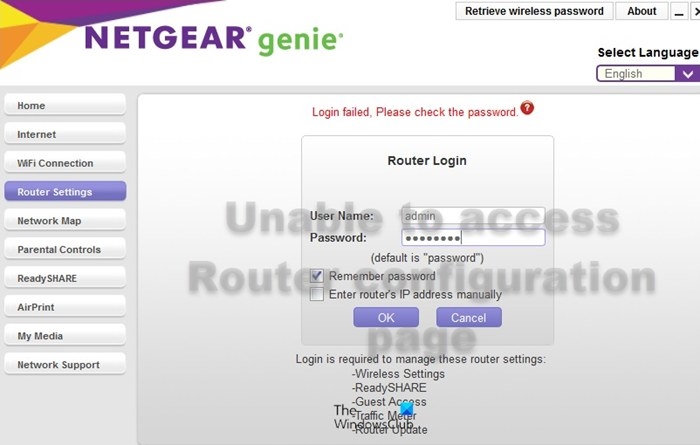
Your router's settings are managed through a browser-based login page, usually reached using an address supplied by its manufacturer. If neither that URL nor the login IP address opens, follow the troubleshooting sequence below.
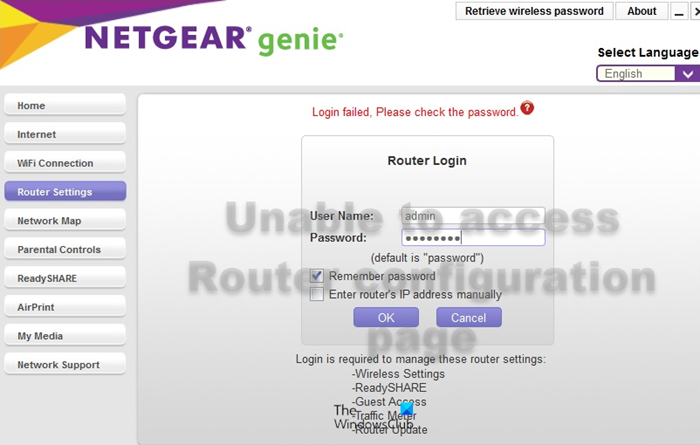
The computer needs an Ethernet or wireless connection to the router. It does not need internet access, and the router does not need a connection to the modem.
Try these fixes in order
Restart the computer. Rebooting can resolve the problem without further troubleshooting.
Enter the manufacturer's router IP address. The login URL points to an IP address that can also be entered directly into the browser's address bar. For example, Netgear uses routerlogin.net, commonly associated with 192.168.1.1, while D-Link uses 192.168.0.1. Addresses vary by brand; ask the manufacturer if you are unsure which to use.
Find and use Default Gateway. This identifies the router's login address. Devices connected to the router have their own addresses in sequence.
- Find Command Prompt through the Windows Search bar and open it.
- Enter ipconfig in Command Prompt and press Enter.
- Locate the Default Gateway entry in the displayed information.
- Copy its address into your browser's address bar.
- Press Enter to open the router page.
Try another browser. Switching browsers helps establish whether the problem is browser-specific.
Perform a hard reset. The router's login URL and IP address can be changed through its settings for greater access security. If those changes prevent you from reaching the page, a software reset is also unavailable. A hard reset usually involves inserting a pin into the Reset hole for a few seconds and restores the default login URL and IP address.
Understanding the login address
192.168.1.1 is a private address used as the default gateway by most home routers. Within the local network, it opens an admin panel for Wi-Fi, security and network settings; it is not a public internet address.
It is also the default address for Netgear Genie, the Netgear router login page. Netgear's market leadership and widely read troubleshooting documents helped make 192.168.1.1 seem like a universal router address, but the relevant address is your own router's Default Gateway.
Router login pages generally use HTTP rather than HTTPS and therefore usually lack a secure connection. If access still fails, check whether the problem occurs in other browsers too.
Handpicked News
Accessing Your TP-Link DSL Modem Router at tplinkmodem.net or 192.168.1.1
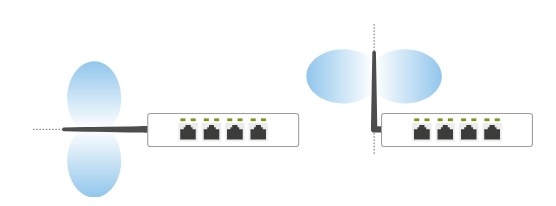
Six ways to improve TP-Link Wi-Fi through router and antenna placement
Updating Your Router’s Firmware: When to Do It and How
How to Turn Wi-Fi Router SSID Broadcasting On or Off
Why Your Default Wi-Fi Network Name Changes After a Firmware Update
Stay ahead of the story
Get one weekly email with the best of RouterSetup Desk.

