
EasyMesh Explained: How It Compares with OneMesh and Closed Mesh Systems
EasyMesh allows certified networking devices from different brands to form one mesh network, unlike proprietary systems. It offers expansion flexibility, although same-brand configurations generally provide more consistent performance.
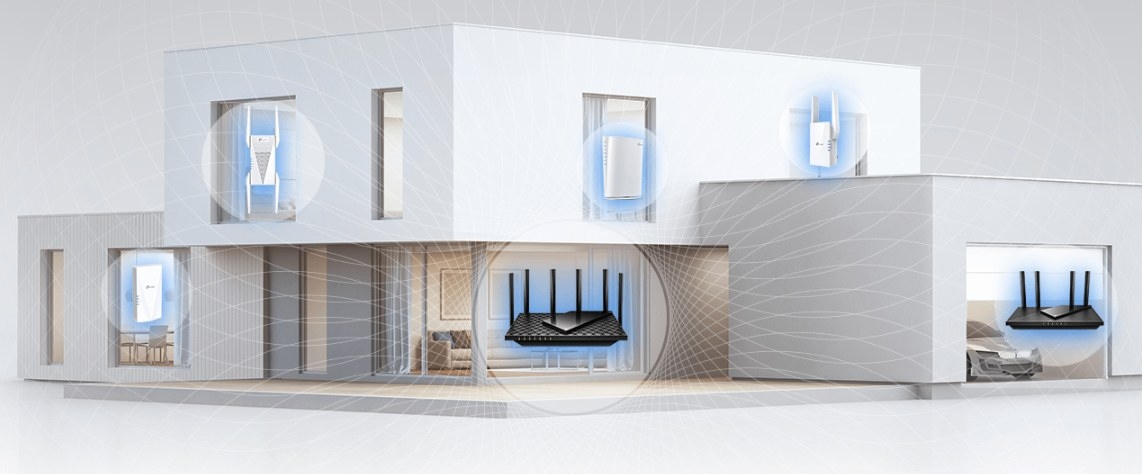
An EasyMesh certification means compatible devices from different manufacturers can cooperate in one mesh network. That flexibility distinguishes the Wi-Fi Alliance standard from proprietary systems, which keep expansion within a single brand's ecosystem.
Cross-brand compatibility is useful, but it does not guarantee identical performance across combinations. Same-brand EasyMesh networks generally work best.
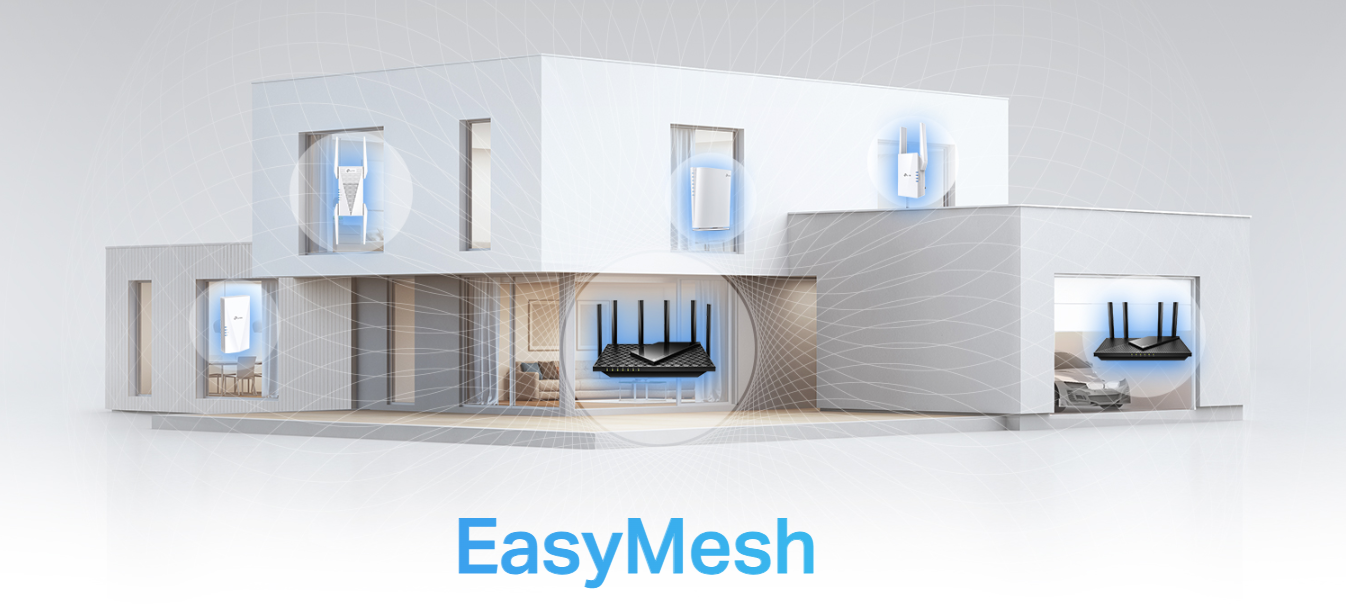
What EasyMesh Certification Means
Wi-Fi EasyMesh, commonly shortened to EasyMesh, is an open standard developed by the Wi-Fi Alliance, the organization responsible for Wi-Fi certification and standards. It establishes shared rules for routers and range extenders to communicate as one network. Certified devices have been tested for compliance with those rules.
Before EasyMesh, mesh systems were proprietary: each manufacturer used its own approach, preventing devices from working across brands. The open standard provides a common technical framework instead.
How an EasyMesh Network Operates
EasyMesh uses a controller/agent structure. The main router serves as the controller, managing traffic routing, channel selection, and network decisions. Other nodes and extenders act as agents, following the controller's instructions to carry coverage through the home.
Client steering connects a moving device to the node with the strongest signal. The controller also assigns nodes the best available frequency to reduce interference. These functions support seamless roaming, allowing a phone or laptop to remain connected while moving between rooms without interruptions.
EasyMesh Versus Proprietary Mesh
Systems such as eero, Google Nest, and Netgear Orbi use proprietary communication protocols. Their devices work within their own ecosystems, so expanding one requires buying compatible equipment from the same manufacturer.
EasyMesh instead lets certified devices follow shared rules regardless of brand. A certified router from one manufacturer can, in principle, cooperate with certified extenders from another.
Mixed-brand configurations do work, but manufacturers can tune their own hardware and firmware together more closely than they can optimize third-party equipment. As a result, same-brand setups tend to deliver better performance. A proprietary system remains a suitable choice if you intend to stay with one brand and want an optimized configuration; EasyMesh adds flexibility for future expansion.
|
Feature |
EasyMesh |
Proprietary Mesh |
|
Brand flexibility |
Mix certified devices from different brands |
Single brand only |
|
Interoperability |
Open standard, cross-brand compatible |
Closed ecosystem |
|
Setup |
Varies by manufacturer |
Typically optimized within brand |
|
Real-world reliability |
Good; best results with same brand |
Excellent within ecosystem |
|
Examples |
TP-Link Archer BE230, RE653BE, others |
eero, Google Nest, Netgear Orbi |
Understanding EasyMesh on Your Router
An EasyMesh label indicates that a router is certified or compatible with the Wi-Fi Alliance standard and can serve as a controller or agent in a multi-device network. It can extend coverage with other EasyMesh-certified equipment, including devices from other brands.
A firmware update may be needed to enable the feature. Its name and location vary by manufacturer, so check the router's app or settings to confirm that EasyMesh is active.
Benefits and Limitations
Where EasyMesh Helps
- Freedom to expand across brands: Add certified devices without replacing existing equipment or restricting purchases to one manufacturer.
- Support for ISP equipment: Many Internet service providers (ISPs) are beginning to supply EasyMesh-certified gateways that can control compatible third-party nodes.
- Flexible coverage and budgets: A compatible device can extend service to another room or floor, with choices beyond one brand's price range.
- A growing open ecosystem: Wi-Fi Alliance maintenance and further device certifications broaden the available equipment pool.
Where Results Can Vary
- Mixed-brand consistency: Shared communication rules do not ensure equal performance. Roaming timing and channel selection can vary between manufacturers.
- Client-steering differences: The standard requires steering but does not specify every timing detail or threshold, so transitions between brands can occasionally be less smooth.
- Less coordinated optimization: A manufacturer can tune controller and agent firmware together more precisely within its own lineup. Staying with one brand generally produces the most consistent results, even when all devices support EasyMesh.
Equipment That Supports EasyMesh
EasyMesh is available across several device categories:
- Standalone Wi-Fi routers, acting as controllers or agents
- Range extenders, acting as coverage-expanding agents
- Whole-home mesh nodes, supporting controller and agent roles
- ISP-provided gateways, with certification becoming more common
Both standalone routers and extenders can join an EasyMesh network. Increasing numbers of Wi-Fi 6 and Wi-Fi 7 devices are being certified, expanding choices across manufacturers and budgets.
TP-Link EasyMesh and OneMesh
TP-Link supports EasyMesh alongside OneMesh, its proprietary standard used in older routers and extenders. In late 2023, it began moving newer products to EasyMesh as the industry shifted toward open interoperability. Virtually all Wi-Fi 7 Archer routers and newer home-grade extenders and access points now use EasyMesh.
OneMesh devices remain a strong option for extending an existing TP-Link OneMesh network. For a new installation or more expansion flexibility, TP-Link's EasyMesh range combines an open standard with same-brand optimization.
TP-Link EasyMesh equipment uses the Tether app, with unified management through the controller node. Setup takes a few minutes, and compatible routers and extenders share a single network name.
TP-Link Devices for Different Needs
- Archer BE230: This entry-level Wi-Fi 7 EasyMesh router suits an upgrade from older equipment while leaving room to add compatible nodes later without replacing the entire network.
- Archer BE400: Designed to handle busy households with simultaneous streaming, video calls, and gaming, it can serve as the controller for a multi-room or multi-floor network.
- Archer BE600: This tri-band Wi-Fi 7 router targets large homes and demanding networks. Its dedicated 6 GHz band provides an uncongested channel for communication between mesh nodes, keeping that traffic separate from the bands used by older devices to maintain consistent performance.
- RE653BE: This tri-band Wi-Fi 7 range extender connects to an existing EasyMesh-compatible router to improve dead zones without replacing the router.
Choosing a Mesh Approach
For most homes, a same-brand EasyMesh setup offers a useful balance: the expansion flexibility of an open standard with fewer performance compromises than a mixed-brand network. TP-Link's EasyMesh hub lists compatible devices for different needs.
If you are already committed to one ecosystem, a proprietary setup can also provide consistent results. Mesh routers do cost more than a single-router-and-range-extender setup, and proprietary systems restrict future additions to the same manufacturer. EasyMesh removes that brand restriction, though cross-brand performance can still vary.
Common Questions
Are EasyMesh and Wi-Fi EasyMesh different?
No. Wi-Fi EasyMesh is the Wi-Fi Alliance's official name; EasyMesh is the shortened form often used on packaging and manufacturer websites.
Can TP-Link EasyMesh work with another brand?
Yes, in principle: certified devices can share an EasyMesh network across brands. TP-Link equipment generally performs best with other TP-Link EasyMesh devices because firmware interaction can be optimized more closely within the lineup.
Is EasyMesh a good choice for home networking?
It is useful when you want the freedom to expand with compatible equipment rather than remain locked to a proprietary system. For the most consistent performance, a same-brand configuration is generally preferable.
Handpicked News
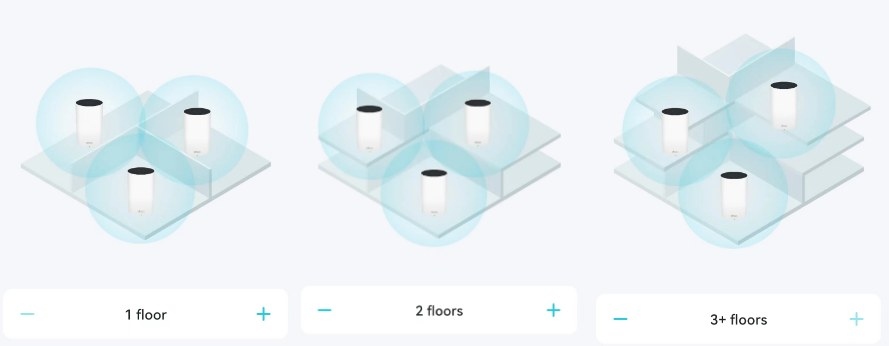
Where to Position Deco Units for Reliable Mesh Wi-Fi
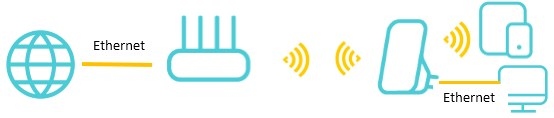
Choosing a TP-Link Wi-Fi Upgrade: Extender, Powerline, or Mesh
Fix Default Wi-Fi Connection Problems During Deco or ISP Mesh Setup
TP-Link Deco Explained: How Whole-Home Mesh Wi-Fi Works
Set Up Ethernet Backhaul Between Two TP-Link EasyMesh Routers
Stay ahead of the story
Get one weekly email with the best of RouterSetup Desk.

