
Where to Position Deco Units for Reliable Mesh Wi-Fi
Deco placement affects both whole-home coverage and the wireless connection between units. Use the app’s layout guidance, check satellite signal strength, and avoid obstructions and interference; Ethernet backhaul is another option in wired homes.
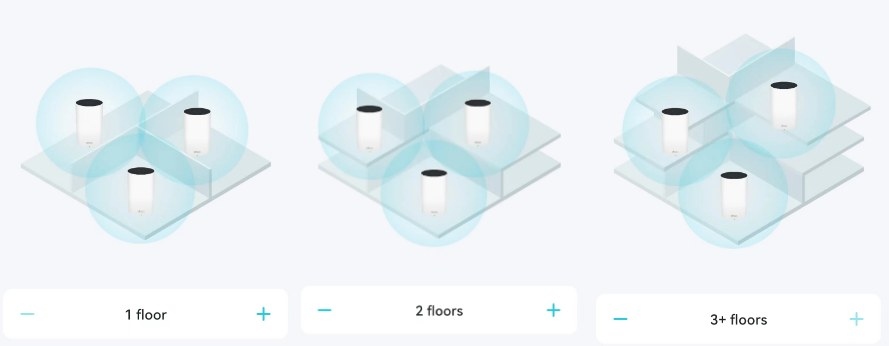
The location of each Deco unit matters for fast, dependable whole-home Wi-Fi. There is no single placement that suits every home, so you may need to try several satellite locations.
1. Start with Your Home’s Layout
During satellite setup, the Deco app suggests placement based on the home layout you select. For background, consult the explanation of what a Deco Whole-Home Wi-Fi system is and how it works; for initial installation, see the Deco setup guide.
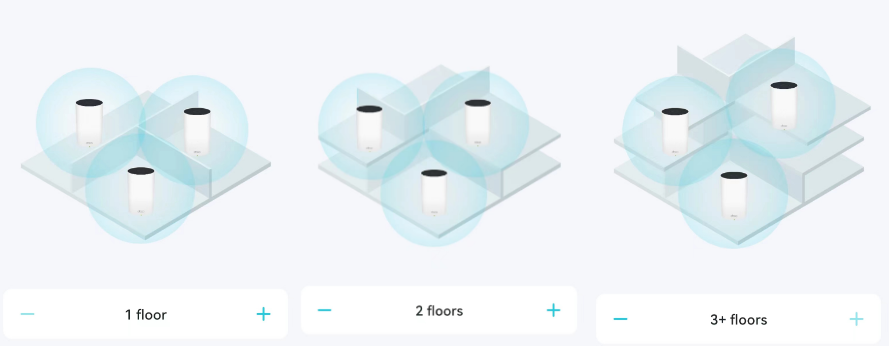
2. Verify the Connection Between Units
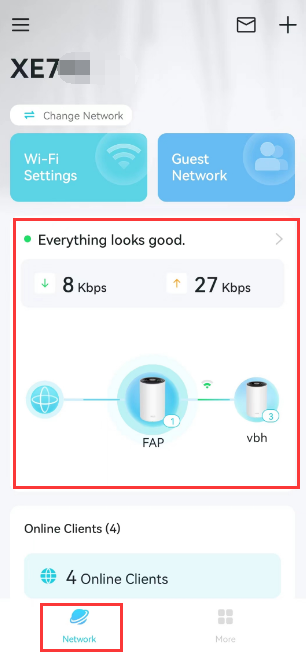
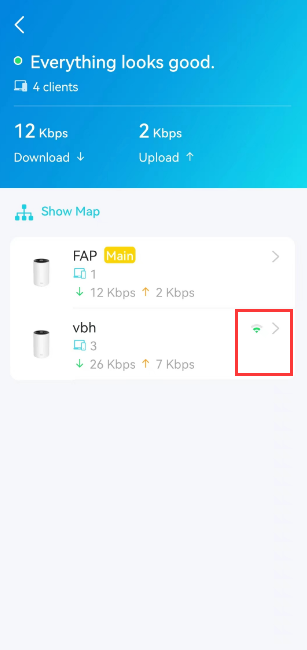
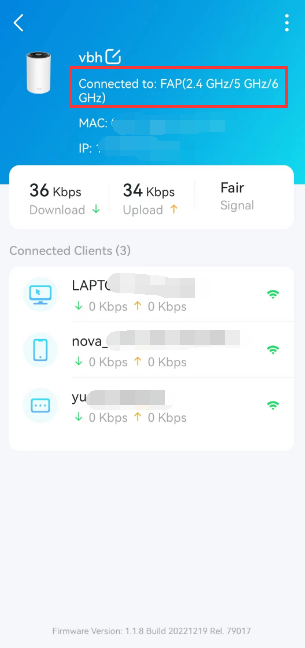
Before settling on a satellite’s location, check its wireless connection to the source Deco. In the app, tap Network > Everything looks good > the satellite unit to view signal strength. The recommended reading is 2 bars.
3. Keep Satellites Clear of Obstructions and Interference
- Position each satellite at the same height as its source Deco, ideally 1-1.5 ft above the floor.
- Choose an open location away from walls and metal objects, including metal file cabinets. Walls, floors, and metal can disrupt wireless signals; placing a Deco closer to these obstacles weakens its connection.
- Keep units away from microwaves, Bluetooth devices, and USB 3.0 devices. These can interfere with the 2.4 GHz band and shorten Wi-Fi range.
4. Use Ethernet Backhaul Where Available
If your home has Ethernet wiring, you can connect Deco units with Ethernet cables rather than relying on wireless backhaul. A wired backhaul offers a faster, more stable connection. For connection layouts and installation instructions, consult Deco Ethernet Backhaul: Setup, Wiring Rules, and Troubleshooting.
Handpicked News

Choosing a TP-Link Wi-Fi Upgrade: Extender, Powerline, or Mesh
Fix Default Wi-Fi Connection Problems During Deco or ISP Mesh Setup

TP-Link Deco Explained: How Whole-Home Mesh Wi-Fi Works
Set Up Ethernet Backhaul Between Two TP-Link EasyMesh Routers
EasyMesh Explained: How It Compares with OneMesh and Closed Mesh Systems
Stay ahead of the story
Get one weekly email with the best of RouterSetup Desk.

