
Give Devices a Fixed IP with Deco Address Reservation
Deco’s DHCP reservation assigns a device the same IP address without changing its own network settings. Create a reservation from the connected-client list or enter the device’s MAC and IP addresses manually.
DHCP reservation, also known as address reservation, is Deco’s recommended way to give a network device a consistent IP address. For most home users, it provides the predictable address of a static IP without manual configuration on the device.
DHCP reservation versus a static IP
A static IP is set directly in a device’s network settings. If those addresses are not managed carefully, IP conflicts can occur.
With a reservation, Deco’s DHCP server identifies the device by its MAC address and assigns it the same IP whenever it connects. The device remains configured to obtain its address automatically, avoiding the complexity and risk of setting static IPs on individual devices.
Create a reservation in the Deco app
The following instructions use Deco M5 as the example.
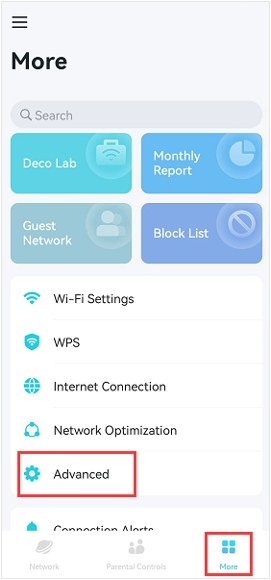
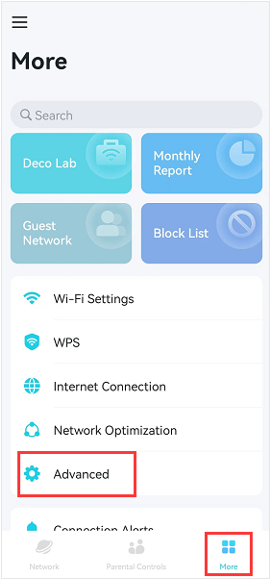
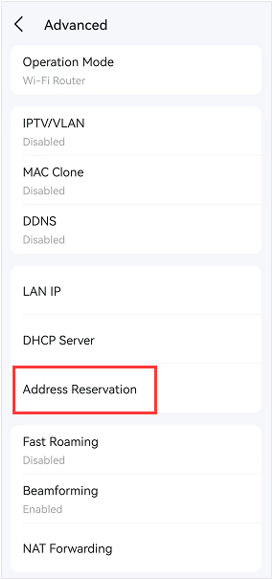
- Launch the Deco app and open More > Advanced > Address Reservation.
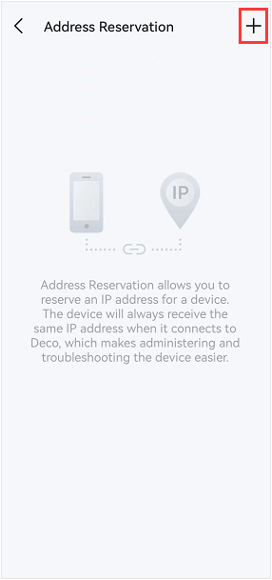
- Tap the plus (+) icon in the upper-right corner.
Next, use either of the following methods.
Method 1: Choose a connected client
- Select Select from Client.
- Check the box beside the device that needs a reservation.
- Tap Done.
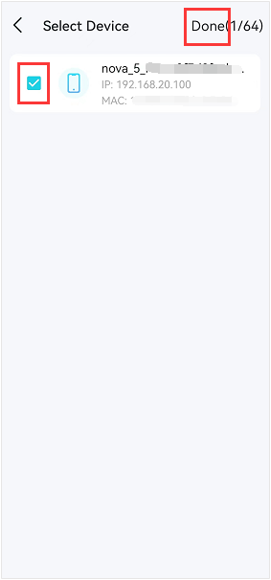
Note: This method reserves the device’s current IP address.
Method 2: Enter the addresses manually
- Select Custom.
- Enter the device’s MAC address and IP address.
- Tap Save.
Edit a reserved address
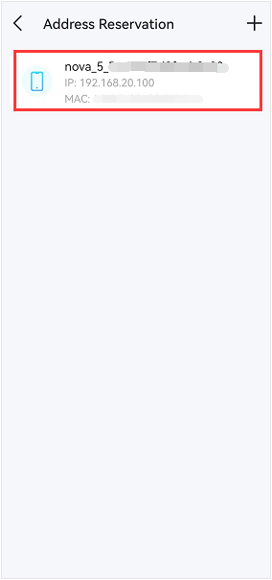
- Select the device in the device list.
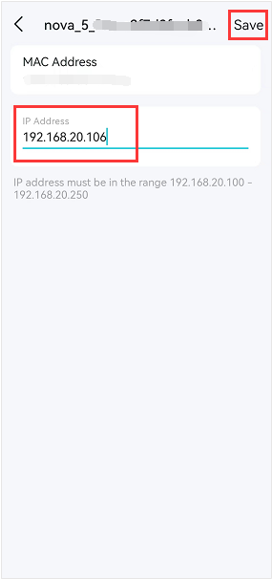
- Replace its assigned IP address.
- Tap Save to apply the change.
Delete a reservation
Android: Press and hold the IP reservation profile until the delete option appears.
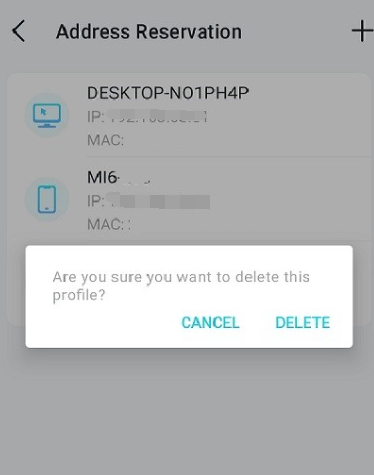
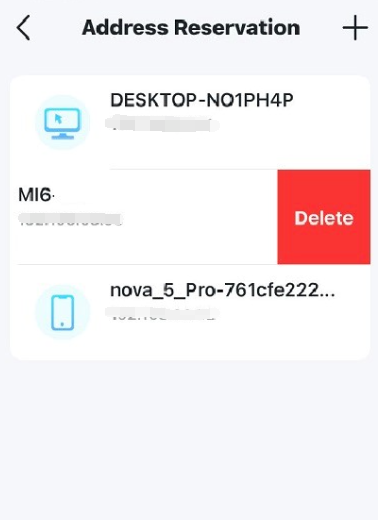
iOS: Swipe left on the address reservation to reveal the delete option.
Handpicked News
Configure Device and Activity Priorities with TP-Link Deco QoS
Set Up an Access Point for Point-to-Multipoint Bridging
Troubleshooting Port Forwarding on TP-Link Routers and Deco
What to Try When Windows 11/10 Won’t Change Your Static IP or DNS
Changing DNS Servers on TP-Link Wireless and DSL Modem Routers
Stay ahead of the story
Get one weekly email with the best of RouterSetup Desk.

